How to upload a scanned model release to your Box
For archive shoots where you hold a signed paper release but can no longer reach the model. Six steps, and the release links itself to your Box.
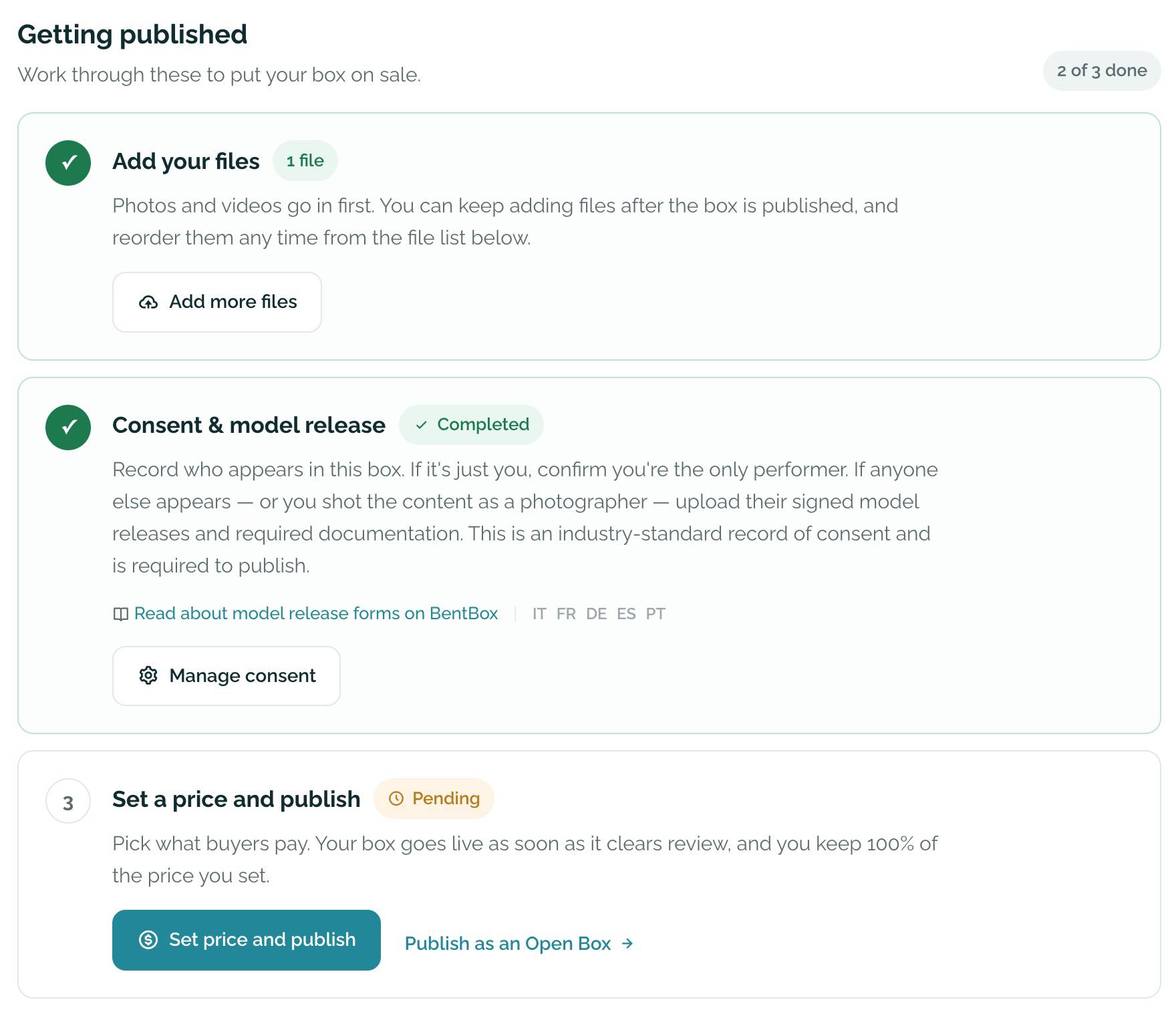
Open Consent & model release on Manage box
Open Manage box for your Box. Under Getting published, step 2 is Consent & model release. It's required to publish an NSFW Box, and optional, but recommended, for a SFW Box.
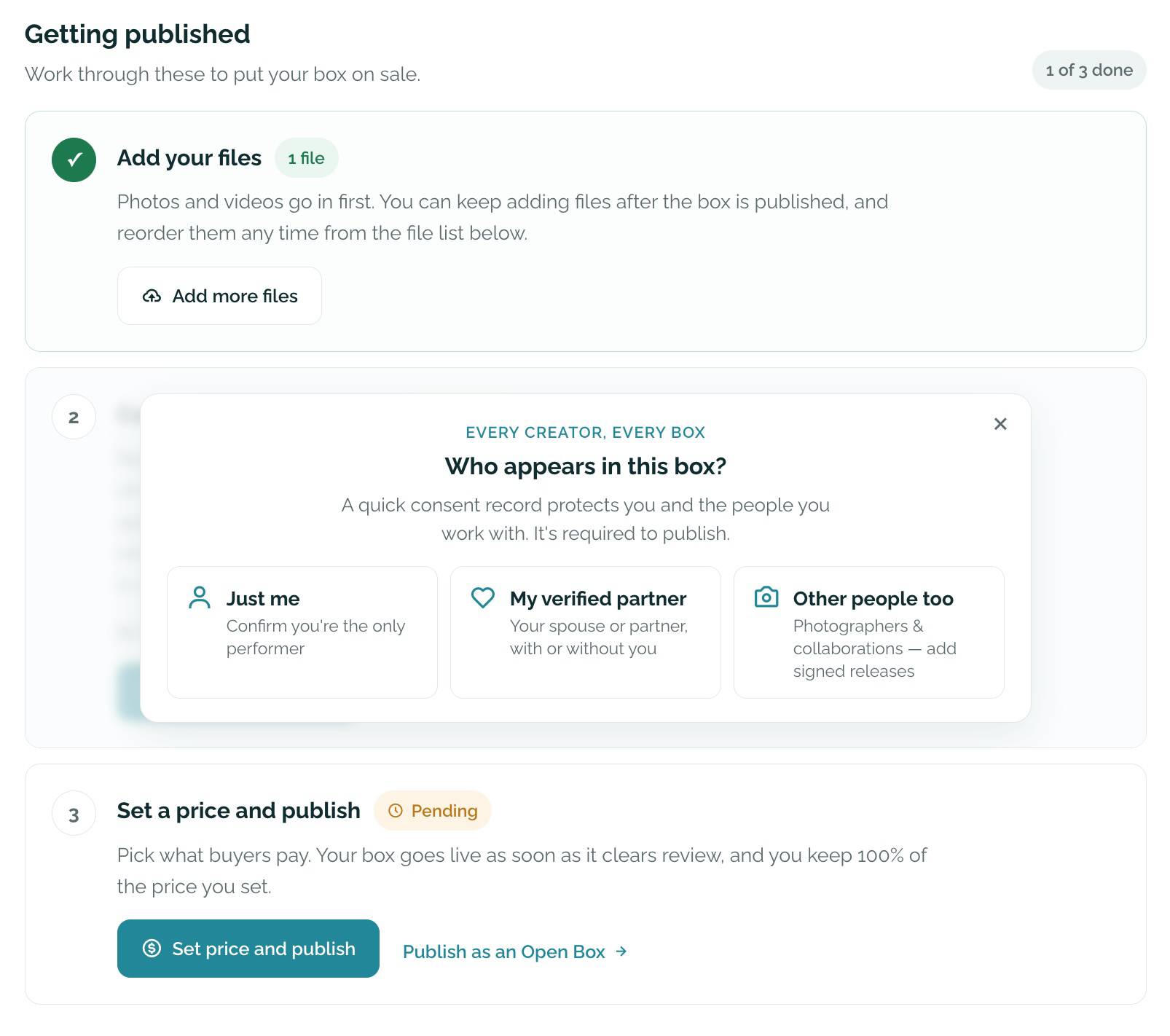
Until consent is on file, a panel asks "Who appears in this box?" with three options:
- "Just me": you are the only performer.
- "My verified partner": your spouse or partner appears, with or without you, and has verified once on your account.
- "Other people too": you photographed or filmed anyone else.
You can also close the panel and click "Complete consent".
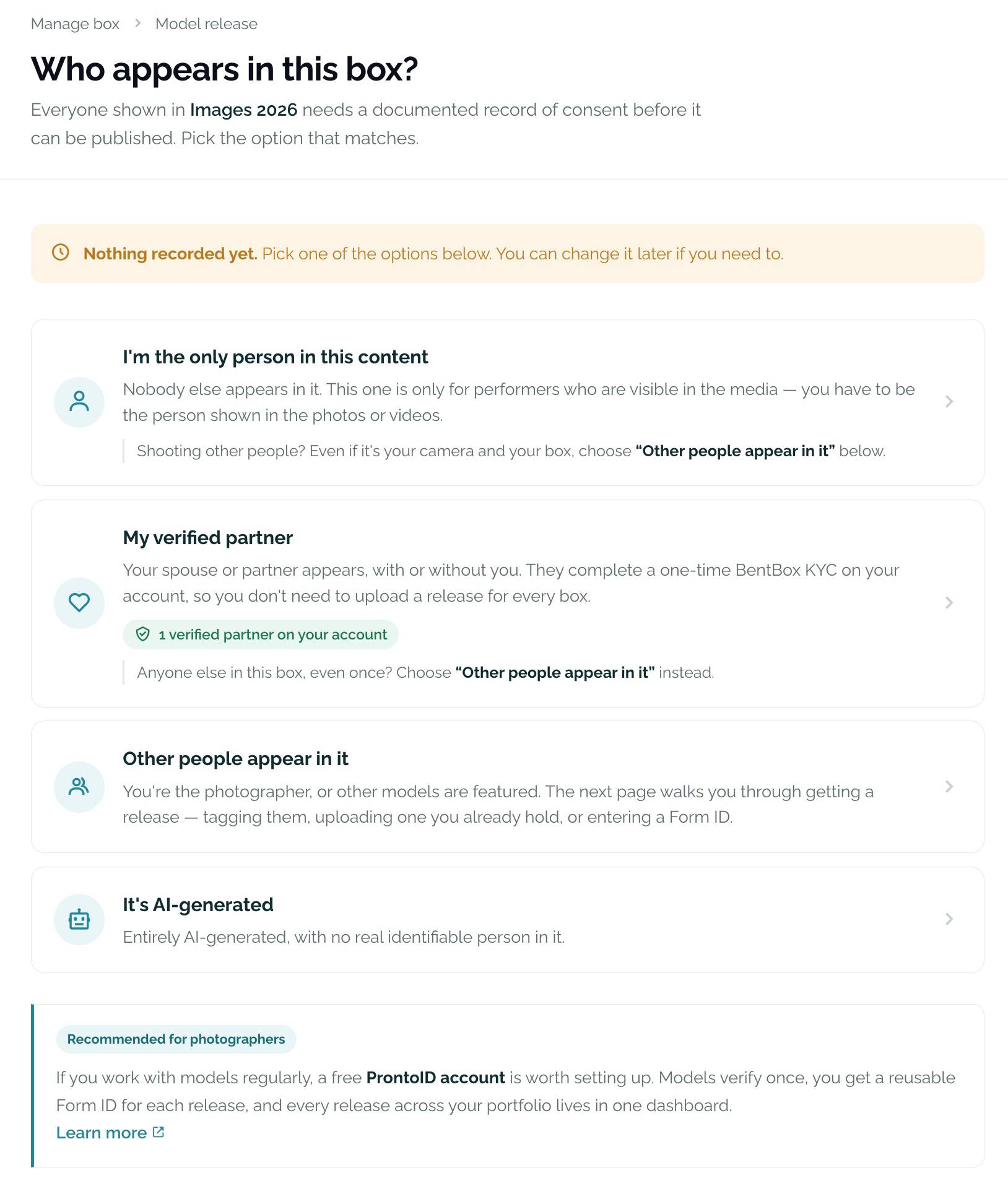
Choose "Other people appear in it"
The "Who appears in this box?" page gives you four options:
- "I'm the only person in this content": only if you are the person shown in the photos or videos. No release is needed.
- "My verified partner": your spouse or partner appears, with or without you, and has verified once on your account. No release is needed for each Box. To verify a partner, or add another, use Verify a partner in your account settings.
- "Other people appear in it": you're the photographer, or other models are featured.
- "It's AI-generated": entirely AI-generated, with no real, identifiable person in it.
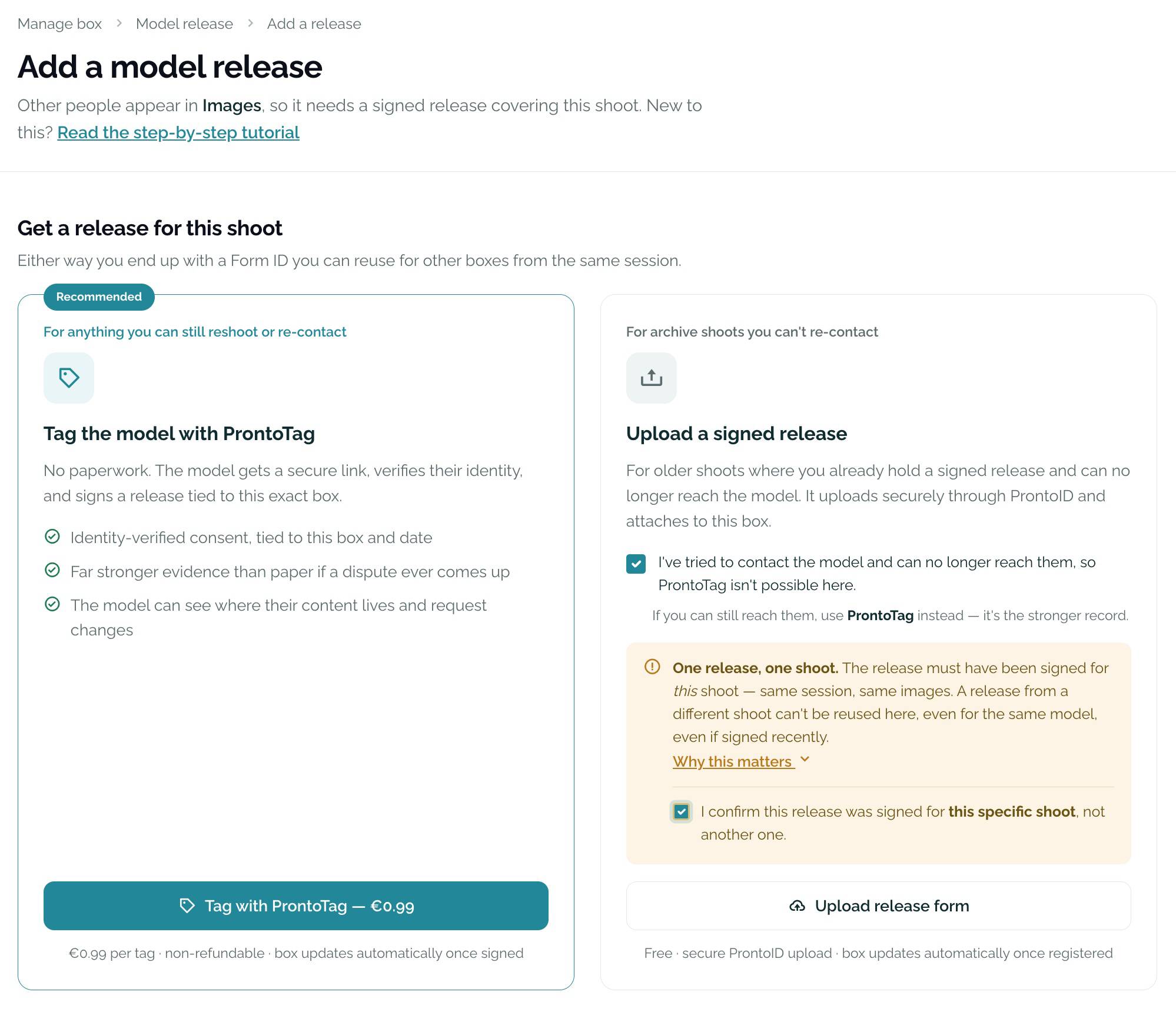
Choose "Upload a signed release"
On Add a model release you'll see two ways to get a release. This tutorial covers the second one, "Upload a signed release", for shoots where you already hold a signed paper release.
Recommended for anyone you can still reach. No paperwork: the model gets a secure link, verifies their identity and signs a release tied to this exact Box. Far stronger evidence than paper if a dispute ever comes up.
€0.99 per tag, non-refundable. The Box updates automatically once the model signs.
For archive shoots where you already hold a signed release and can no longer reach the model. It uploads securely through ProntoID and attaches to this Box.
Free. The Box updates automatically once the release is registered.
Upload the release on ProntoID
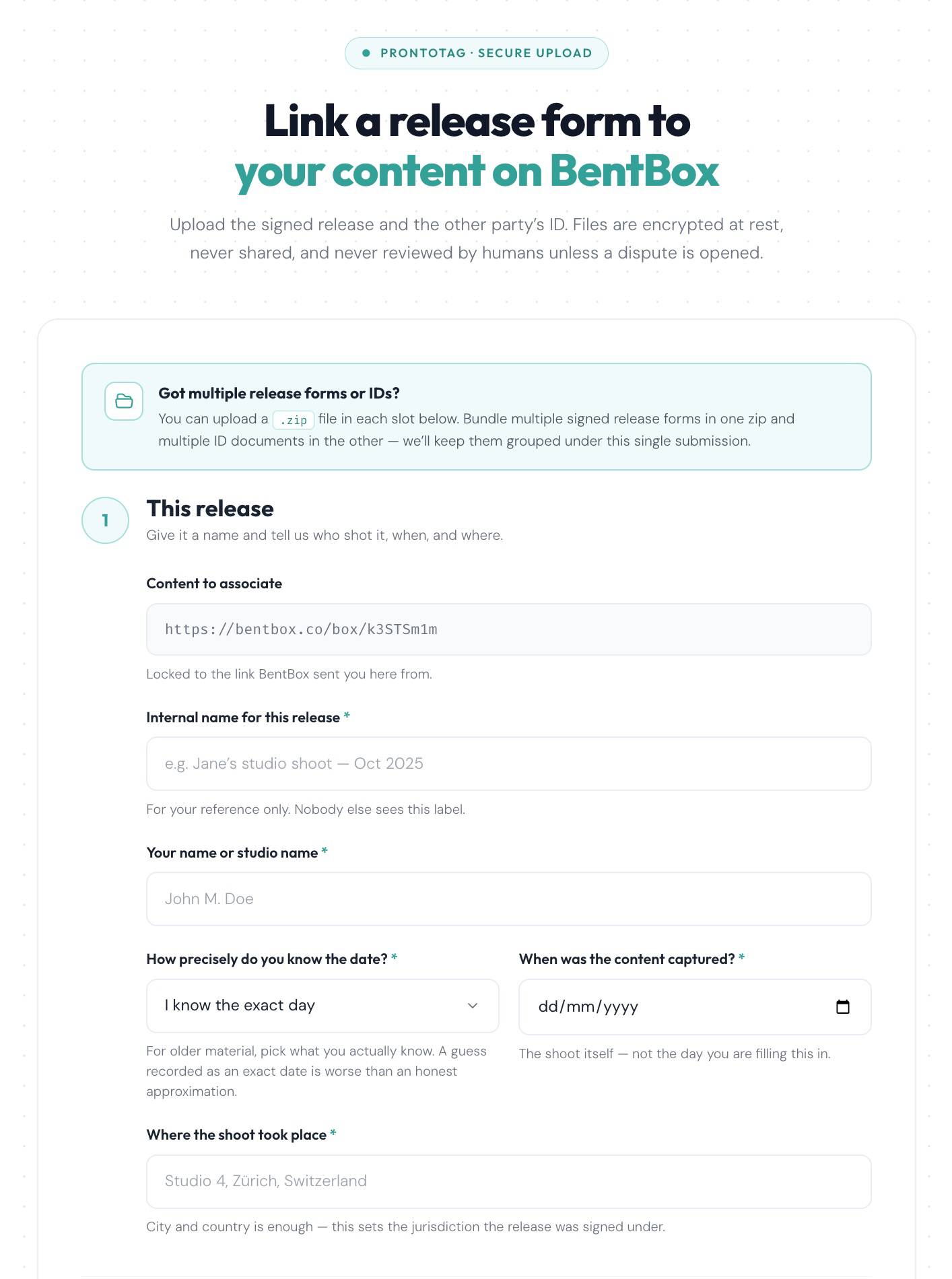
You're taken to a secure ProntoID page, Link a release form to your content on BentBox. The Content to associate field is already filled in and locked to your Box. Fill in the rest:
- Internal name for this release: for your reference only, for example "Jane's studio shoot, Oct 2025".
- Your name or studio name.
- When the content was captured: the day of the shoot, not today. For older material, pick how precisely you know the date; an honest approximation is better than a guessed exact day.
- Where the shoot took place: city and country are enough. This sets the jurisdiction the release was signed under.
Then upload the signed release and the model's ID document, one in each slot. Files are encrypted at rest, never shared, and never reviewed by a person unless a dispute is opened.
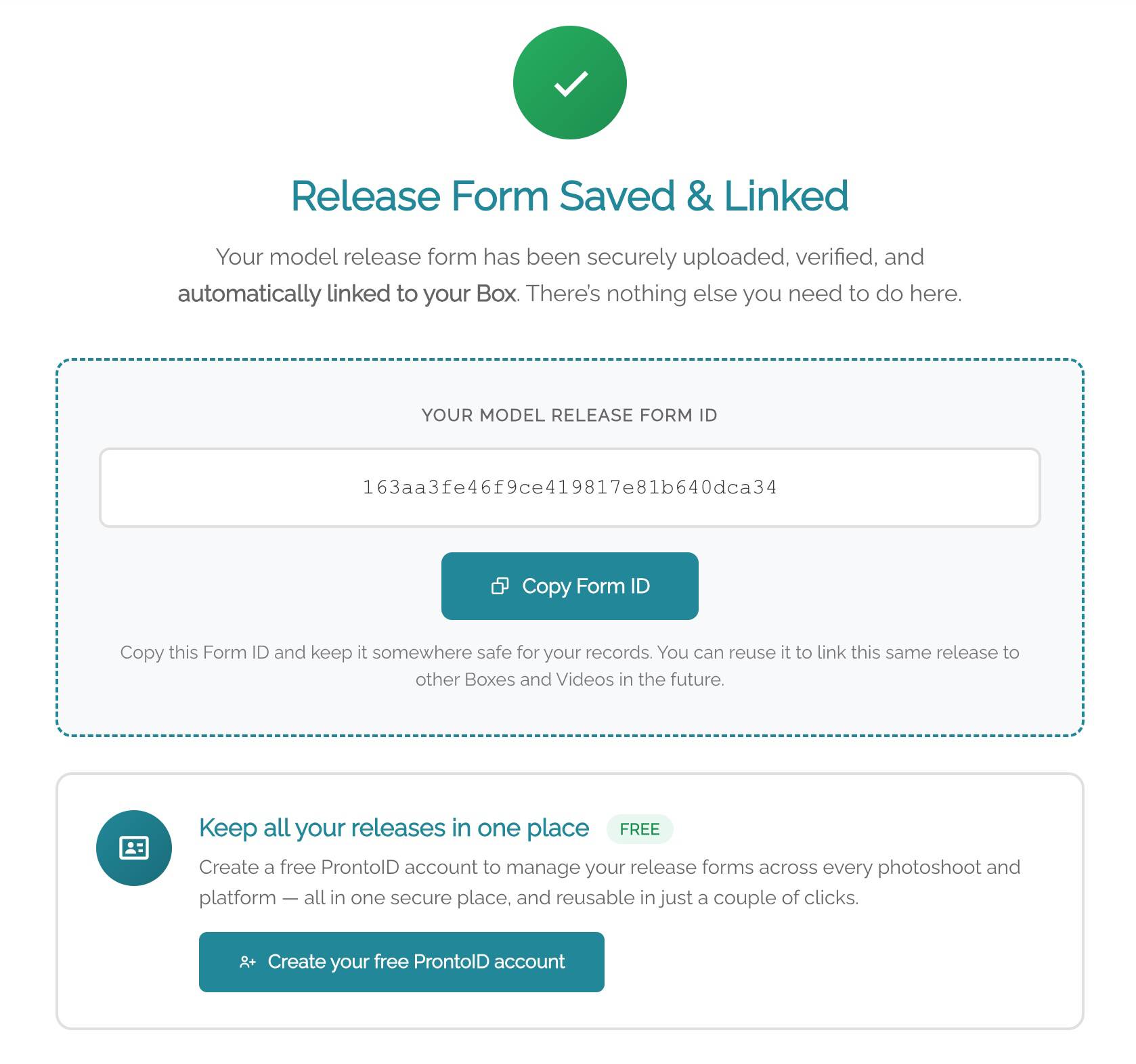
Release Form Saved & Linked
The release has been securely uploaded, verified and automatically linked to your Box. There's nothing else you need to do here: no Form ID to copy and paste.
The page still shows your Form ID. Click "Copy Form ID" and keep it somewhere safe: it's your only reference to this release, and you'll need it if you make more Boxes from the same shoot.
Check the consent step and publish
Go back to Manage box. Consent & model release now shows Completed, and the checklist counts it as done.